
CRM 2013 – Create Custom Actions#
The new version of Microsoft Dynamics CRM includes a feature called Custom Actions. In this post I want to show the process of creating an Action in the CRM UI and access it over a Console Application.
The Problem to solve:
Create a Custom Action, that creates a task or a phonecall for an existing account record, based on the “Industry” Optionset. It should also be possible to add the description of the task in the Request.
1. Create the Custom Action
In this example we create the action in the CRM UI. It is also possible to create it in Code (only OnPremise).
- Navigate to Settings –> Processes
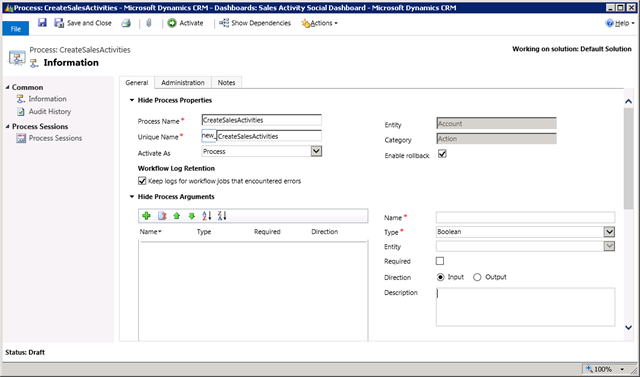
- Click “New” and set “CreateSalesActivities” as Process name Set “Action” as Category Select “New blank process” Set “Account” as Entity Click “OK”
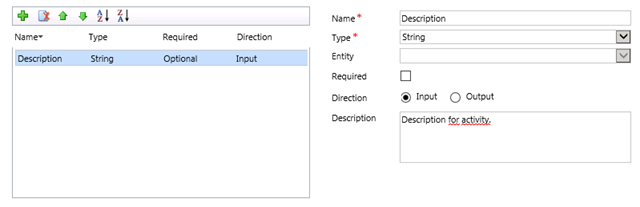
- Add the input parameter for Description
- Configure Ruleset
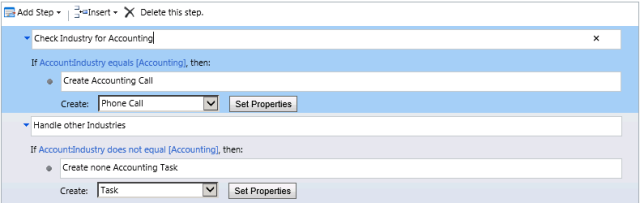
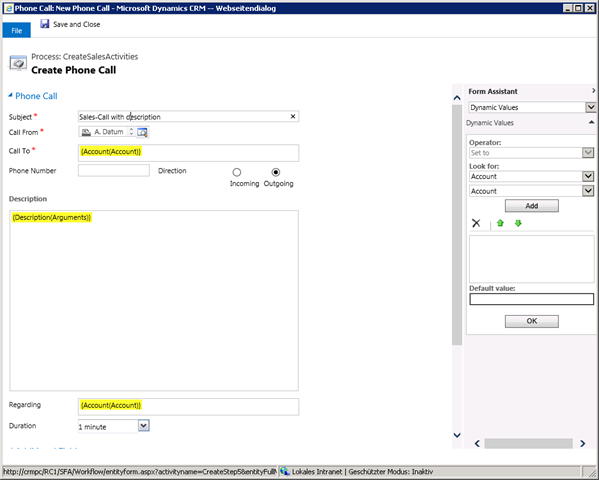
Accounting –> Create PhoneCall
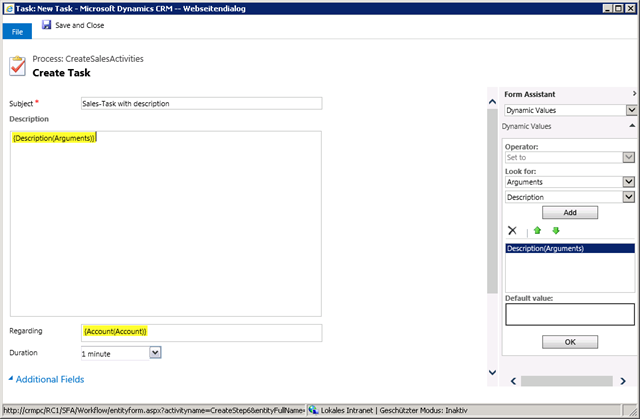
Others –> Create Task
- Save the Custom Action Activate the Custom Action

2. Execute the Custom Action
For executing the Request i have created a Console Application. You can check the sources of my PluginQuickDeploy-Project when you need support creating it.
Executing Accounting-Case:
private static void ExecuteCustomActionAccounting()
{
    IOrganizationService service = GenerateService();
    Entity account = new Entity("account");
    account.Attributes.Add(new KeyValuePair<string, object>("name",
        string.Format("Account generated at {0}", DateTime.Now.ToShortTimeString())));
    account.Attributes.Add(new KeyValuePair<string, object>("industrycode",
        new OptionSetValue(1)));
    Guid accountId = service.Create(account);

    OrganizationRequest req = new OrganizationRequest("new_CreateSalesActivities");
    EntityReference accountReference = new EntityReference("account", accountId);
    req.Parameters.Add(new KeyValuePair<string, object>("Target", accountReference));
    req.Parameters.Add(new KeyValuePair<string, object>("Description", "Text from Request"));

    OrganizationResponse resp = service.Execute(req);
}
Executing Default-Case:
private static void ExecuteCustomActionDefault()
{
    IOrganizationService service = GenerateService();
    Entity account = new Entity("account");
    account.Attributes.Add(new KeyValuePair<string, object>("name",
        string.Format("Account generated at {0}", DateTime.Now.ToShortTimeString())));
    Guid accountId = service.Create(account);

    OrganizationRequest req = new OrganizationRequest("new_CreateSalesActivities");
    EntityReference accountReference = new EntityReference("account", accountId);
    req.Parameters.Add(new KeyValuePair<string, object>("Target", accountReference));
    req.Parameters.Add(new KeyValuePair<string, object>("Description", "Text from Request"));

    OrganizationResponse resp = service.Execute(req);
}
3. Testing
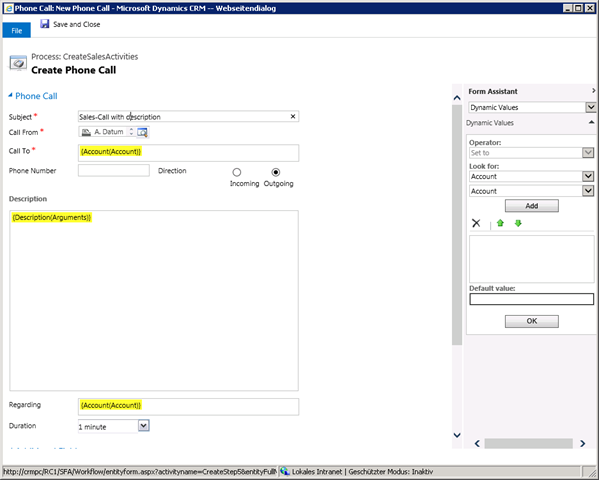
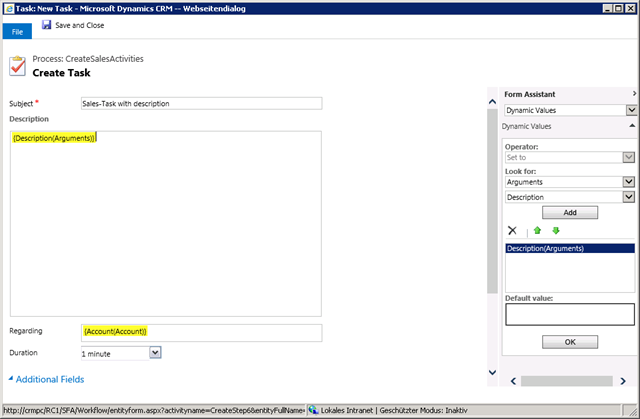
After execution of the both requests, a phonecall is generated and attached to the first account, a task is generated and attached to the second account. The description is passed by the request.
Created Call:
Created Task:
Additional Information - Output Parameters
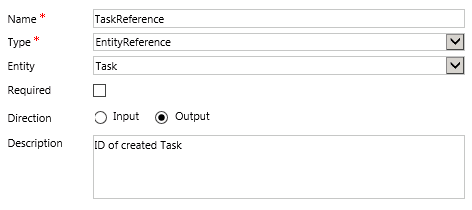
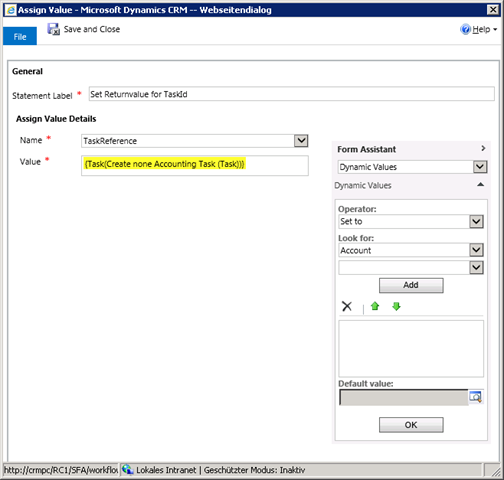
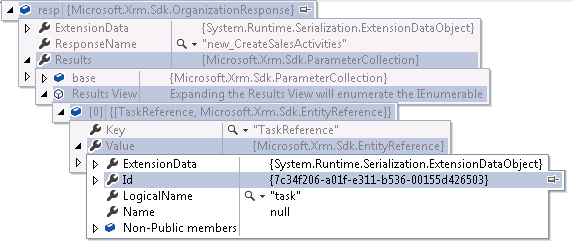
It is also possible to retrieve information from the custom action. Therefore you have to define Output-Parameters and set them in the rule wizard. In this example the Custom Action returns the Entity Reference of the created task.

The feature is very interesting and i look forward to use it in one of my next projects (lets hope CRM 2013 will be available and stable soon).
Cheers