
CRM 2013 – Business Rules#
One of the new pretty interesting Features of Microsoft Dynamics 2013 are Business Rules. The purpose of them is to allow non Developers to customize basic rules like
- Show and hide fields Set and reset “Business Required” for fields Show Error-Message Set specific Field Value Lock or unlock fields
on specific triggers/conditions. Also Basic-Formulas (+, –, *, /) are possible.

The UI looks nice and clean (a bit like IFTTT).
Example
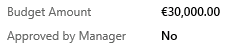
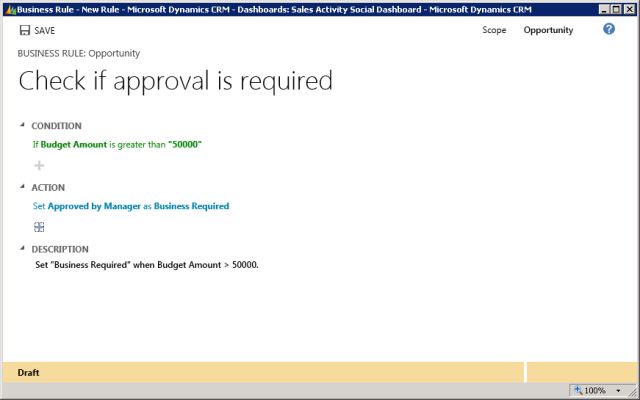
Set “Approved by Manager” Field as Business Required when Budget Amount of Opportunity is more than 50000,00€.
Before:
Business Rule:
After:

Hint:
The Value for “Business Required” is not resetting automatically when Budget Amount is decreased to < 50000. An additional rule is required.

This feature will reduce the lines of JavaScript code in the future enormously.
cheers