
Simple reading of CSV Files - CsvHelper#
In my last project we had to retrieve a huge amount of data from an existing CSV-File. I found a nice, fast, little library on GitHub called CsvHelper.
The easiest approach is to create a target class for this if the columns of the CSV-File does not match to the properties of your default business object.
 using System;
 using System.Collections.Generic;
 using System.IO;
 using System.Linq;
 using System.Text;

 using CsvHelper;

 namespace MK.CsvExample
 {
     class Program
     {
         static void Main(string[] args)
         {
             using (TextReader reader = File.OpenText(@"C:\tmp\Users.csv"))
             {
                 var csv = new CsvReader(reader);
                 csv.Configuration.Delimiter = ";";

                 var usersFromCsv = csv.GetRecords<User>();

                 foreach (var user in usersFromCsv)
                 {
                     Console.WriteLine("{0} {1}, {2}, {3}, {4}",
                         user.Firstname,
                         user.Lastname,
                         user.Street,
                         user.City,
                         user.Country);
                 }
             }
             Console.ReadKey();
         }
     }

     /// <summary>
     /// BusinessObject for getting CSV-Informations
     /// Names needs to be the same as in the CSV-File
     /// </summary>
     public class User
     {
         public string Lastname { get; set; }
         public string Firstname { get; set; }
         public string Country { get; set; }
         public string City { get; set; }
         public string Street { get; set; }
     }
 }
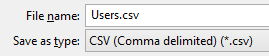
For usage of CSV-Files created in Excel, you have to change de Delimiter to a semicolon (see line 18).
A NuGet package is also available: PM> Install-Package CsvHelper.
cheers