
Part 1 - Consuming custom WCF Data Services (oData) Endpoint (Javascript/jQuery and c#)#
The current version of the WCF Data Services 5.0is working fine if you are in the .NET domain. Accessing with jQuery can cause some issues.
So here is one example using .NET (c#) and a second one using Javascript (jQuery).
If you want to view the final sourcecode, check it out from codeplex.
http://odataconsuming.codeplex.com/
You also can download the final solution as zip-File.
http://odataconsuming.codeplex.com/downloads/get/467041
You can find Part 2 of this documentation here.
Preparation
Install NuGet
Install WCF Data Services 5.0
Creating Custom WCF Data Service
Create new Empty Web Application
Add Entity Framework (via NuGet)
Add jQuery (via NuGet)
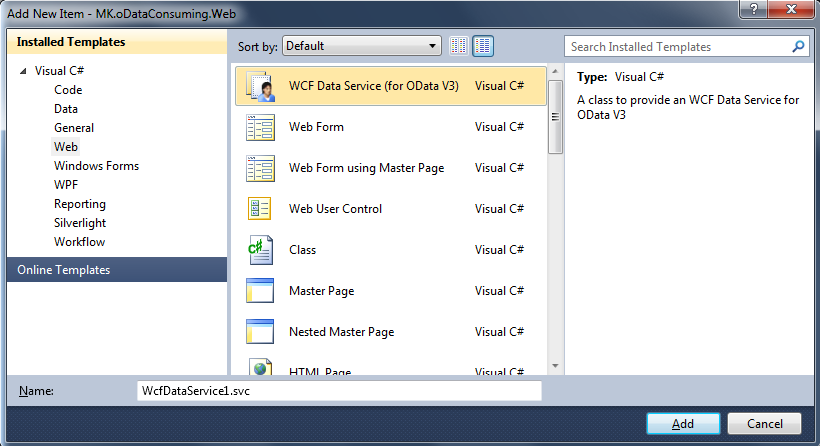
Add new Item –> Web –> WCF Data Service (for oData V3)
- Create entity-class
using System;
using System.Collections.Generic;
using System.Linq;
using System.Web;
using System.Data.Services.Common;

namespace MK.oDataConsuming.Web {

 [DataServiceKey("Id")]
 public class Car {
 public int Id { get; set; }
 public string Manufacturer { get; set; }
 public string ProductionYear { get; set; }
 }
}- Create Context
using System;
using System.Collections.Generic;
using System.Linq;
using System.Web;
using System.Data.Entity;

namespace MK.oDataConsuming.Web.Model {
 public class CarContext {

 private ListCar> _cars;

 public CarContext() {
 _cars = new ListCar>();
 _cars.Add(new Car() { Id = 1, Manufacturer = "BMW", ProductionYear = "1997" });
 _cars.Add(new Car() { Id = 2, Manufacturer = "Mercedes", ProductionYear = "2000" });
 _cars.Add(new Car() { Id = 3, Manufacturer = "Opel", ProductionYear = "2011" });
 _cars.Add(new Car() { Id = 4, Manufacturer = "Ford", ProductionYear = "1999" });
 }

 public IQueryableCar> Cars {
 get {
 return _cars.AsQueryableCar>();
 }
 }
 }
}- Configure access rules
using System;
using System.Collections.Generic;
using System.Data.Services;
using System.Data.Services.Common;
using System.Linq;
using System.ServiceModel.Web;
using System.Web;

using MK.oDataConsuming.Web.Model;

namespace MK.oDataConsuming.Web
{
 public class CarService : DataServiceCarContext>
 {
 // This method is called only once to initialize service-wide policies.
 public static void InitializeService(DataServiceConfiguration config)
 {
 config.SetEntitySetAccessRule("Cars", EntitySetRights.All);
 config.DataServiceBehavior.MaxProtocolVersion = DataServiceProtocolVersion.V3;
 }
 }
}
Set .svc as Start Page
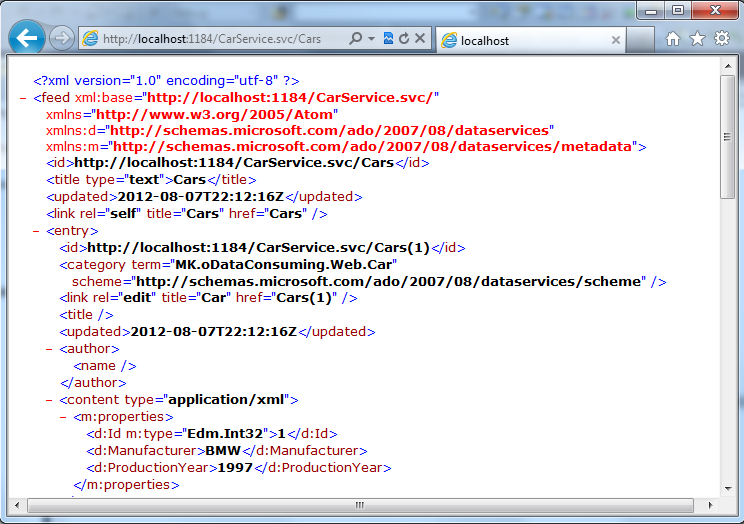
Test Service
Create HTML Test-Page
Add new Item –> Web –> HTML Page
Add HTML-Code to file
DOCTYPE html PUBLIC "-//W3C//DTD XHTML 1.0 Transitional//EN" "http://www.w3.org/TR/xhtml1/DTD/xhtml1-transitional.dtd">
html xmlns="http://www.w3.org/1999/xhtml">
head>
 title>oData Accesstitle>
 script src="Scripts/jquery-1.7.2.min.js">script>
 script src="Scripts/json2.js">script>
 script src="Scripts/odataaccess.js">script>
head>
body>
 div>
 input id="RetrieveButton" type="button" value="Retrieve" onclick="RetrieveData()" />
 div>
 div id="listofcars">
 div>
body>
html>
Add new Item (to Scripts-Folder) –> Web –> JScript File
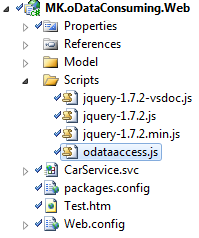
- Add Javascript Code to file
//Retrieve data from service
function RetrieveData() {
 $.ajax({
 type: "GET",
 async: false,
 contentType: "application/json; charset=utf-8",
 datatype: "json",
 url: "/CarService.svc/Cars",
 success: RetrieveMultipleCallback,
 error: function () {
 alert("Error");
 },
 beforeSend: function (XMLHttpRequest) {
 XMLHttpRequest.setRequestHeader("Accept", "application/json;odata=verbose");
 }
 });
}

//Handles the RetrieveMultiple Response
function RetrieveMultipleCallback(data) {
 $.each(data.d, function (i, item) {
 var $newDiv = $("div>" + item.Manufacturer + " - " + item.ProductionYear + "/div>");
 $("#listofcars").append($newDiv);
 });
}
The Most important part ist the “beforeSend” Handler. Here we set the RequestHeader “Accept: application/json;odata=verbose”. In older versions of WCF Data Services, this was “Accept: application/json” This does never work!
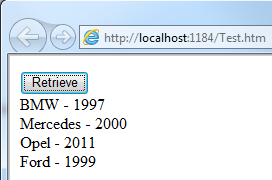
- Test the Page
Create Console Application
Add new Console Project
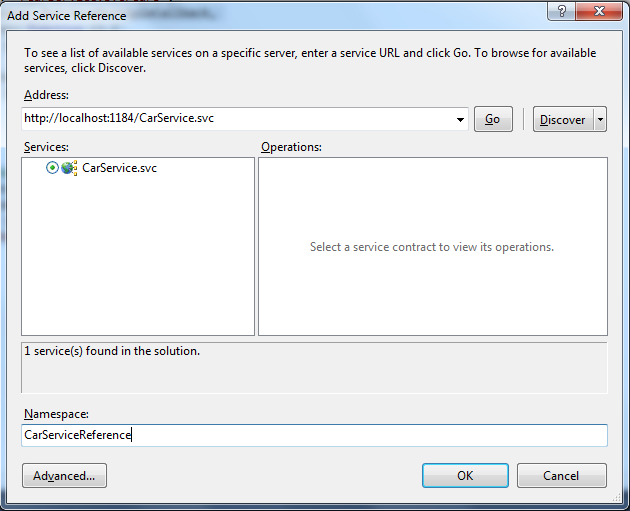
Add Service Reference
- Add Code to Program.cs
using System;
using System.Collections.Generic;
using System.Linq;
using System.Text;

using MK.oDataConsuming.ConsoleApp.CarServiceReference;

namespace MK.oDataConsuming.ConsoleApp {
 class Program {
 static void Main(string[] args) {

 //Create Service Contexst
 CarContext context = new CarServiceReference.CarContext(new Uri("http://localhost:1184/CarService.svc"));

 //Create query, retrieve and convert to list
 var query = context.Cars.Where(c => c.Manufacturer == "Opel");
 ListCar> resultSet = query.ToList();

 //Check results
 if (resultSet != null && resultSet.Count > 0) {
 Car opel = resultSet[0];
 Console.WriteLine("{0}, {1}, {2}", opel.Id, opel.Manufacturer, opel.ProductionYear);
 } else {
 Console.WriteLine("Car not found.");
 }

 Console.Read();
 }
 }
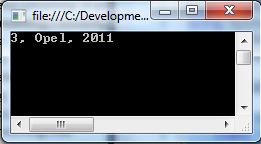
}- Test the application
Cheers